Sunday, June 9, 2013
Review HTC

HTC Advantage got updated. HTC announced for Mobile World Congress 2008 to add new software, more storage capacity and an enhanced keyboard.
The ultra portable PC comes with a new customized HTC Home today screen with one-touch access to e-mails, messages, calls, contacts and even weather forecasts.
Its TouchFLO software is enhancing the finger touch scrolling and web sites browsing, and there are included also Opera Mobile 9 and Google Maps.
Now the HTC Advantage has 16GB of Flash storage and a G-sensor which recognizes the display orientation improving the viewability.
More than that, the UMPC model lets users run programs via the projctor and TV output capability and comes with a nice 5-inch VGA toch-sensitive screen and a magnetic QWERTY keyboard for best ergonomics while working in the Microsoft Office applications.
It will come to Europe in March under the name HTC Advantage X7510, with WCDMA/HSDPA/GSM/GPRS/EDGE networks support, the 3.1MP camera, miniSD card slot, WLAN 802.11 b/g, Bluetooth 2.0, GPS, the HTC ExtUSB miniUSB, HTC16 pin port, the 3.5mm audio jack with microphone, a 2100mAh Li-Ion battery, and powered by the Marvell PXA270 624 MHz processor and Qualcomm MSM6275.
“Having established broader boundaries for mobile computing with the first HTC Advantage a year ago, we are introducing a wealth of new enhancements focused on improving the overall touch screen and keyboard user experience,” declared Peter Chou, president and CEO of HTC. “Our goal with the HTC Advantage is to provide a small connected mobile computing device that will replace notebook PCs on daily commutes or short trips.”

Monday, June 3, 2013
Review Toshiba Satellite A300 02C


- Intel Core 2 Duo P7350 2GHz CPU with 25 Watt TDP
- AMD RADEON HD 3650 with 512MB of DDR2 RAM
- 15.4" WXGA High-Definition Display With 1280 x 800 Resolution
- 320GB SATA Hard Drive (5400 RPM)
- 4GB 800MHz DDR2 System Memory
- Super Multi 8X DVD±R/RW with Double Layer Support
Conclusion
One of Toshibas traits that always puzzles me is that they always stop short of making the unequivocally killer product. Last year they delivered the X200 - arguably the first mainstream gaming notebook - with its two 8700m GPUs that came up short against the cheaper and much faster Gateway P-6831FX. Its my perception that as good as their notebooks are; they tend to the more conservative end of the excite-o-meter.
The A300-02C doesnt deviate from this pattern. It is not cheap - $1,000 is a far cry from entry level in 2008. A brand name isnt enough to justify a premium anymore - therefore I think it was a mistake not to spec DDR3 system memory and GDDR3 video memory. I understand that it takes balance and compromise to deliver a competitive product but performance features are omitted here that would distance this notebook from its competitors and more importantly last years models that are being marked down right now.
A similarly performing Gateway can be had for $100-250 less using last years CPU (T5750) and GPU (RADEON HD 2600) and some lucky folks are walking out of Best Buy with clearance models at half the price of the A300-02C and about 90-95% of the performance.
In addition to the performance features left off, important portability features like a larger capacity battery are also missing. If this notebook is not targeted to gamers on the run, then it should at least include a proper battery. Poor battery life is only excusable when performance is very strong.
Like so many of the Toshiba notebooks I have reviewed, the A300-02C is good. Still, its not the fastest, sleekest or best value notebook you will find.
Pros:
- Portable gaming performance in a small package
- Solid construction
Con:
- Small battery and poor stamina
- Monetvina 2 does not show the expected gains in this configuration
- DDR2 800 system memory instead of DDR3 1066
- DDR2 1000 video memory instead of GDDR3 or GDDR4
- User serviceability compromised
- No access to MXM-II
- No access to CPU
- No access to Intel 5100
- Empty drive slot with SATA connector removed
- A little over-priced, easier to recommend at $800-850

Sunday, June 2, 2013
LG Town C300 Review and Specification
LG C300 is one of the city also features a two-megapixel cameras, mp3 player, FM radio and wireless. Will soon be available in the UK with Orange, Tesco and Phones4U. LG C300 City, prices and information output is not yet available.

LG Town C300 Feature and Specification:
BatteryStandby Time Upto 408 Hours
Talk Time: Upto 11.5 Hours
Weight92.5g
Dimension116 x 61.9 x 11.9 mm
Memory 20 GB
Display Size 2.4"
Display Colour TFT
256K colors
USB Port 2.0
3.5mm Audio Jack Connector
Bluetooth
Music Player
FM Radio
Wireless FM Radio
Games
Ring Tones
Camera 2.0 MegaPixel 1600 x 1200 Pixels
Camera Zoom
Video Capture
Messaging SMS
MMS
Push Mail
Thursday, May 30, 2013
HP Envy 17 2090nr LV045UA Laptop Review

Wednesday, May 29, 2013
HP Mini 210 2075nr Notebook Review Price and Specification

HP has rolled out a new Mini 10.1-Inch diagonal flush glass display notebook which called HP Mini 210-2075nr laptop. HP Mini 210-2075nr laptop has 1.66GHz Processor Speed with 1GB DDR3 RAM (Not Expandable). Type easily using the island-style keyboard and quick access to email, instant messaging and social networks. Furthermore, the use of the webcam and microphone in the HP netbook for video chatting with your family and friends around the world. The 210-2075nr Broadcom has integrated graphics HD Video Decoder that allows you to stream high-definition video without much power.
HP Mini 210-2075nr Notebook PC is a good choice for everyone. Transferring pictures from your memory card using the 5-in-1 Digital Media Reader netbook. Built-in Wi-Fi you can browse the Web anywhere in the room, without wires. You can also store important files on the 250GB hard drive and connect the HP netbook MP3 player, digital camera or an external optical drive, easily one of the USB ports. HP Mini 210-2075nr laptop price available at $ 370 in the market.
HP Mini 210-2075nr Laptop Specifications:
| Color | Charcoal Lid, Silver Base, Silver Keyboard |
| Operating System | Microsoft Windows 7 Starter Edition (32-bit) |
| Processor Speed | 1.66GHz |
| Processor | Intel® Atom Processor N455 |
| Level 2 Cache | 512KB Level 2 Cache |
| Front Side Bus | 667MHz Frontside Bus |
| RAM Installed / Max RAM Supported | 1GB DDR3 RAM (Not Expandable) |
| Memory Configuration | (1) 1GB SO-DIMM Memory Module |
| Memory Slots Available | (0) Available 204-pin SO-DIMM Slots |
| Hard Drive | 250GB 7,200RPM Serial ATA Hard Drive |
| Multimedia Drive | None |
| Display Type | 10.1" Widescreen SVGA LED BrightView Infinity LED Display |
| Internal Max Resolution | 1024 x 600 |
| Video Card | Intel® Graphics Media Accelerator 3150 Video Chipset |
| Video Card Memory | Up to 256MB Total Available Graphics Memory |
| Sound Card | High Definition Audio Chipset |
| Sound Output Mode | Stereo Audio Output |
| Wired Network Features | 10/100 Fast Ethernet Network |
| Wireless Network Features | 802.11b/g/n Wireless Network |
| Memory Card Reader | Multi-in-1 Digital Media Card Reader |
| Supported Flash Media | Secure Digital, MultiMedia Cards, Memory Stick, Memory Stick Pro |
| Ports and Connectors | (1) VGA 15-pin Port; (3) USB 2.0 Ports; (1) RJ-45 Network Port; (1) Headphone-out/Microphone-in Combo Jack |
| Built-In Devices | Mini Webcam with Integrated Digital Microphone |
| Input Device | Keyboard, Touchpad |
| Security | Kensington® MicroSaver Lock Slot |
| Included Power Supply | 40 Watt AC Adapter |
| Included Battery | 6 Cell Rechargeable Lithium-Ion Battery |
| Average Run Time | 10 Hours, 45 Minutes (Based on Mobile Mark 2007 - actual battery life may vary based on product setting, usage patterns and environmental conditions) |
| Whats in the Box | Mini 210-2075NR, Broadcom® Crystal HD Enhanced Video Accelerator |
| Included Software | Symantec Norton Internet Security ™ 2011 60-day Trial, Microsoft® Office 2010 preloaded (purchase of a Product Key required to activate a full Office 2010 suite), Microsoft® Silverlight |
| Dimensions (WxDxH) | 10.55" x 7.51" x 0.9"-1.26" |
| Weight | 3.1 lbs. |
| Manufacturer Warranty | 1 Year Limited Warranty |
Tuesday, May 28, 2013
Samsung RF409 notebook Review Spec
Samsung RF409 notebook


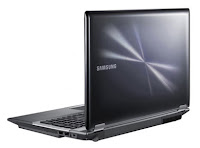
| Samsung RF409 : Specification | |
| Processor | |
| CPU | Intel Core i7-2630QM (2.0 GHz, 6 MB L3 Cache, up to 2.90 GHz) |
| Chipset | Mobile Intel HM65 Express chipset |
| Graphic system | |
| Graphic Chip | nVidia GeForce GT 525M (2 GB GDDR3) |
| Display | |
| Type | 14 inch WXGA (1366x768) LED |
| Main Memory | |
| Memory | 4 GB DDR3 |
| Hard Disk Drive | |
| Hard Disk | 750 GB 5400 RPM |
| Optical Disc Drive | |
| Drive | DVD Writer (Dual Layer Support) |
| Web Camera | |
| Details | 1.3 MPixel |
| Port & Interface | |
| USB2.0 | 2 |
| USB3.0 | 2 |
| Firewire | No |
| DVI | No |
| D-Sub/VGA | Yes |
| e-SATA | No |
| HDMI | Yes |
| Card Reader | 4-in-1 media card slot |
| Express Slot | No |
| Finger Print | No |
| Connection | |
| Wireless Lan | 802.11 b/g/n |
| Bluetooth | Yes |
| LAN | Yes |
| Modem | No |
| Battery | |
| Details | Li-ion 6 Cells Battery |
| Weight | |
| Details | 2.30 Kg. |
| Operating System | |
| OS Bundle | DOS Operating System |
| Warranty | |
| Details | 1 Y. |
Monday, May 27, 2013
Apple MacBook Review
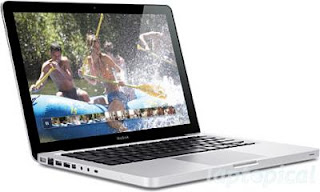 Full review of Apple MacBook
For starters, a fair share of the new MacBooks circuitry comes from Nvidia instead of Intel. Most notably the 9400M integrated graphics, which is a big step up from the Intel X3100 found in the white MacBook. Apple claims it has five times the performance over the Intel IGP, but in the real world the difference is actually even more significant - the 9400M lets you to play some recent games whereas the old and tired Intel X3100 certainly does not.
Design
 As far as the new design goes, this is arguably the best looking laptop since the Osborne 1. The no-doubt well paid broilers at Apples design department have done an awesome job with the new "unibody" construction, allegedly made from a single piece of aluminum.
To get completely in line with an otherwise minimalistic design, they also decided to let go of the trackpad button altogether, opting for one built into the glass trackpad itself. Thanks to the multi-touch functionality, this works very well - actually theres no need to use the built-in button at all. The new four-finger gestures to bring down Expose and Spaces are also well implemented.
Connectivity
Unfortunately, they didnt bother to drill a lot of holes in that single piece of aluminum. Theres not a single FireWire port to be found, which is bound to feel like a betrayal to many diehard Mac users with a room full of FireWire accessories. On top of that it only has a measly two USB ports and Apples proprietary Mini DisplayPort, so forget about using your external monitor unless you fork over an additional $29 for a standard VGA or DVI adapter, or $99 (!) for the dual-link DVI adapter.
 The new MacBook is available in two varieties (so far): one 2.0GHz version (our review sample) and a more expensive 2.4GHz model with a larger hard drive and backlit keyboard. Both models come with the same Nvidia chipset, a LED-backlit screen, and 2 gigs of top-of-the-line 1066MHz DDR3 RAM. Its worth mentioning that the hard drives that ship with the new MacBooks are very well isolated and silent. When the laptop is idle or doing light tasks like web browsing, its almost inaudible.
Performance and Games
Thanks to the DDR3 memory, a 1066MHz front side bus, and the Nvidia chipset, the new MacBooks are faster than older models at the same CPU clock speed. Our 2.0GHz MacBook generated an Xbench score of 166.40. It is also perfectly capable of playing some games - WoW delivered fully playable framerates (50-60 fps) at high settings, which is to be expected from an aging game, but even Call of Duty 4 was playable with the settings tuned down a little. Apple promised five hours of battery life, which we found to be a little too optimistic, but the 4.5 hours we managed to squeeze out of it is still very good.
Overall, the aluminum MacBook is an excellent laptop. Although its somewhat more expensive than we had hoped, you get a solid and great-looking laptop, and some features that youll never find in a similar PC.
Apple MacBook Technical Specifications
- Processor 2GHz Intel Core 2 Duo Mobile
- Memory 2GB DDR3
- Harddrive 160GB
- OS Mac OS X v10.5 Leopard
- Weight 5.0 lbs
- Screen 13.3
- Screen resolution 1280 x 800
- Graphic Card Nvidia 9400M
- Battery Life 4,5 hours
MSI CX640 16 Inch Laptop Review Price and Specification

MSI has introduced new C-series notebook which is MSI CX640 notebook line up. The latest notebook is much more high-end features such as viewing high-definition 16-inch TFT LCD, 1.3 megapixel web camera, stereo speakers with Intel HD Audio, etc. The latest notebook is equipped with Intel Core i7/i5 / i3, and equipped with 320GB/500GB/640GB hard drive compatible with DirectX 11. Runs on Windows 7 Home Premium and support 802.11 b/g/n WiFi, Gigabit LAN options, Bluetooth 3.0 connectivity.
The MSI CX640 notebook features with fast boot technology and rapid SyncVideo technology that improves the performance of multimedia files to load at the time of the conversation, the collection and synchronization. It measures 380 x 260 x 27.1 ~ 34 mm and a weight of 6 kg with 6 cell battery. MSI CX640 is available in two different prices, ie € 649 with GeForce 520M GT discrete graphics card and € 599.
MSI CX640 Laptop Specifications
- 16-inch HD TFT LCD display
- Powered by Intel Core i7/i5/i3 Processor
- 1GB GeForce GT 520M discrete graphics cards
- Runs on Windows 7 Home Premium operating system
- Equipped with 320GB/500GB/640GB hard disk drive
- Supports 802.11 b/g/n WiFi, Gigabit LAN, & Bluetooth 3.0 connectivity options
- Includes four USB 2.0 port, optional USB 3.0, HDMI and VGA port
- 1.3 megapixel web camera
- Stereo Speakers with Intel HD Audio
- Brings DVD Super Multi drive
- Supports DirectX 11
- Includes Card reader (MMC, SD/SDHC/SDXC, MS/MS Pro/HG)
Sunday, May 26, 2013
HP Pavilion dv2 1010el Laptop Review
Model: Pavilion dv2-1010el

HP Pavilion dv2-1010el exploits a compartment integrated graphics ATI Mobility Radeon X1250 with shared memory. The hard disk has a capacity of 160GB and rotation speed of 5400 rpm. The operating system is Microsoft Windows Vista Basic Edition. The model in question has finished Espresso Black.
Specifications
Processor: AMD Athlon Neo MV-40, 1.6 GHz, 512KB L2 cache, 800MHz HT
Memory: 2048 MB DDR2
Display: 12.1 inch WXGA (1280 x 800) HP LED BrightView Widescreen Display
Video Card: ATI Mobility Radeon X1250, HyperMemory (integrated)
Hard Disk: 160 GB SATA 5400 rpm
Optical Drive: DVD DL external purchases
Doors: 5in1 digital media reader (Secure Digital, MultiMedia, Memory Stick, Memory StickPro, xD Picture), 3 x USB 2.0, 1 x Headphone out, 1 x Microphone in, 1 x VGA 15-pin, 1 x RJ-45
Networking: WiFi 802.11b / g, 10/100 Ethernet LAN, Bluetooth
Operating System: Microsoft Windows Vista Basic Edition
Battery: Li-Ion 4 cell
Dimensions: 292 x 240 x 23.7 / 32.7 mm
Weight: approx 1.5 Kg
Warranty: 1 year
Others: HP Pavilion WebCam, Espresso Finish Black, Audio SRS Premium Sound
Saturday, May 25, 2013
Review of Dell Mini 9
 Full review of Dell Mini 9
Dell was actually quite slow in catching up with the netbook craze, and it took until late last year for the Irish manufacturer to release this model.
The Dell Mini 9 sums up everything you expect from an average netbook; it comes with the standard 1.6GHz Atom N270 processor, Intel GMA950 graphics and a choice of a small solid state drive or more roomy hard drive. Moreover you get to choose from either Linux (Ubuntu) or Windows XP Home as the primary operating system.
 So, why should you buy the Dell Mini instead of one of the other myriad netbooks out there with the exact same specs? For one thing the starting price is very low, just $249, but that gets you a mere 4GB SSD, so most potential buyers will probably add a few bucks for more storage space. Nonetheless, it is still very affordable.
Another great thing about the Mini 9 is that you can get it in a variety of colors and decorations, although this will also cost you extra as per Dells business model. The standard color is glossy black (and it is very glossy I might add). The screen on the Mini is good, and doesnt have that large frame that many other netbooks have. On the downside, the keyboard feels more cramped than average, but that comes as no surprise on a 9-inch netbook.
Performance and Conclusion
The battery lasted just over 3 hours, which is completely acceptable. For some reason we couldnt get WorldBench to run on the Dell Mini, but the WPrime 32M test finished in 124 seconds.
If you feel like buying a low-end version and upgrade it later (with cheaper parts) you will be happy to learn that its very easy to access the internal components, as they are grouped together beneath a panel next to the battery.
If youre looking for a netbook, the Mini 9 should definitely be taken into consideration - its a solid, highly customizable little laptop available at a very attractive price point.
Edit: Although it would be amazing if the Mini indeed came with a 2.6GHz Atom, it was of course supposed to read 1.6GHz. Thanks Usman for the bump.
Dell Mini 9 Technical Specifications
- Processor Atom N270 1.6GHz
- Memory 512MB-1GB
- Harddrive 4GB-64GB
- OS Linux (Ubuntu)/Windows XP Home
- Weight 2.3lbs
- Screen 9
- Screen resolution 1024x600
- Graphic Card Intel GMA950
- Battery Life 3:07
HP ProBook 4425s Laptop Review

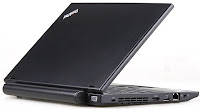
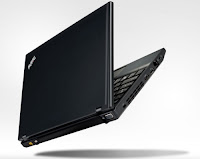
Lenovo ThinkPad X120e notebook Review Spec
Lenovo ThinkPad X120e notebook
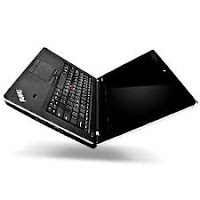


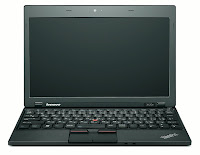


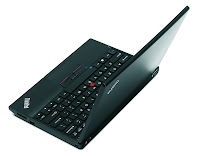
| Lenovo ThinkPad X120e : Specification | |
| Processor | |
| CPU | AMD E-350 dual-core CPU at 1.6GHz |
| Chipset | |
| Graphic system | |
| Graphic Chip | AMD Radeon HD 6310 |
| Display | |
| Type | 11.6" WXGA HD anti-glare LED Backlit display (1366x768) |
| Main Memory | |
| Memory | 4GB |
| Hard Disk Drive | |
| Hard Disk | 320GB 7200rpm SATA Hard Drive |
| Optical Disc Drive | |
| Drive | |
| Web Camera | |
| Details | |
| Port & Interface | |
| USB2.0 | |
| USB3.0 | |
| Firewire | |
| DVI | |
| D-Sub/VGA | |
| e-SATA | |
| HDMI | |
| Card Reader | 4-in-1 card reader and 0.3-megapixel webcam |
| Express Slot | |
| Finger Print | |
| Connection | |
| Wireless Lan | |
| Bluetooth | |
| LAN | 802.11b/g/n, Gigabit LAN |
| Modem | |
| Battery | |
| Details | 6-Cell Li-ion battery |
| Weight | |
| Details | 3.3 pounds |
| Operating System | |
| OS Bundle | Windows 7 Professional (64-bit) |
| Warranty | |
| Details | |
Friday, May 24, 2013
Toshiba Qosmio X500 Q930X Gaming Laptop Review Price and Specification

Toshiba has introduced new widescreen notebooks, which is Toshiba Qosmio X500-Q930X-running in 64 original operating system Windows 7 Professional recently. Specifications and features fabulous display screen TruBrite 18.4-inch FHD TFT LCD with a resolution of 1920 x 1080 pixels, ExpressCard slot, memory card reader, etc. The latest notebook is equipped with NVIDIA GeForce GTX 460M 1.5 GB GDDR5 discrete graphics, compatible with 802.11b / g / n Wi-Fi and Bluetooth connectivity options 3.0 + EDR. It also allowed 8 GB DDR3 1333 MHz memory.
The Toshiba Qosmio X500 gaming notebook Q930X offers 16:9 aspect ratio, and a full-size keyboard with multi-touch pad, etc. 10-key keypad also includes Harman Kardon stereo speakers, 3 USB 2.0 ports, eSATA / USB 2.0 ports, microphone, headphone jack, battery, etc and provides 12 cells to 3.55 hours of battery life. The Toshiba Qosmio X500, Q930X laptop game is priced at $ 1, 899 at ToshibaDirect.com.
Toshiba Qosmio X500-Q930X Gaming Laptop Specification
- 18.4-inch widescreen FHD TruBrite TFT LCD display with resolution of 1920×1080 pixel
- Powered by 2GHz Intel Core i7-2630QM quad-core processor
- Supports 802.11b/g/n WiFi, & Bluetooth 3.0 + EDR connectivity options
- Equipped with NVIDIA GeForce GTX 460M 1.5GB GDDR5 discrete graphics
- Blu-ray Disc ROM and DVD SuperMulti drive with Labelflash support
- Runs on Genuine Windows 7 Professional 64-bit operating system
- Enabled with 8GB DDR3 1333MHz memory
- 1TB (2x500GB) hard drive (7200rpm) hard disk
- Web camera & microphone built into LCD bezel
- Includes Li-ion 87Wh or 12-cell battery
- ExpressCard Slot, & Memory Card Reader
- Harman/kardon stereo speakers & S/P DIF output port
- Microphone jack (mono), built-in microphone, & Headphone jack
- 3 USB 2.0, eSATA/USB 2.0, HDMI, VGA, LAN, & i.LINK IEEE-1394 ports
Thursday, May 23, 2013
ASUS PL X51P PL X52P 500Mbps Powerline Adapters Review and Specifications
ASUS PL-X51P, PL-X52P 500Mbps Powerline Adapters Review and Specifications

ASUS PL-X51P and PL-X52P 500Mbps Powerline Adapters Launched
Ideal for clutter-free network expansion, the devices use existing power plugs to drive fast online access, featuring four Gigabit LAN connectors with a dedicated VIP port
Great alternative to conventional networking
The PL-X51P and PL-X52P connect to any existing power plug at homes and offices. They require no standalone power adapter, and therefore eliminate additional clutter with space-saving dual-use design. As part of the new powerline networking trend, they offer all the utility of a high speed internet connection minus the dedicated space and power typically allocated to standard routers and adapters. Setting up the PL-X51P and PL-X52P is a simple matter of connecting them to a power plug, as they auto-detect connected devices and can be configured from any PC. They include an extra outlet that means power plugs can still be used even with the adapters connected. An integrated noise filter compensates for powerline fluctuations to ensure consistent networking performance regardless of power grid conditions.Fastest powerline performance available
The PL-X51P and PL-X52P support up to 500Mbps in data rate, which is currently the fastest offered by any powerline adapter. As such, they do more than expand networks wherever a power plug can be found. Their speed supports fast downloading, HD content streaming, and multiplayer gaming, proving that the simplicity of powerline networking need not come at the expense of high speed performance.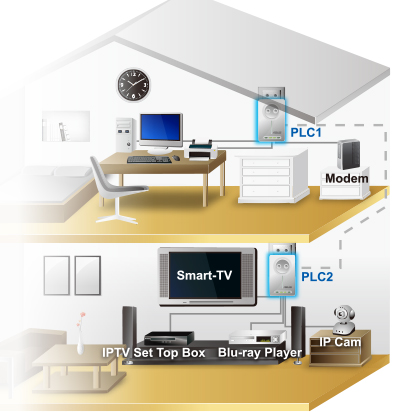
Quad LAN ports and priority VIP management
Despite their compact and lean design, the PL-X51P and PL-X52P integrate four Gigabit LAN ports, similar to conventional routers and adapters. They therefore allow for the same number of devices to be connected to them directly, being the first powerline adapters on the market to offer four Gigabit LAN ports alongside an extra-outlet design that keeps power plugs free for use by other appliances. They also feature a dedicated VIP LAN port, which uses smart built-in bandwidth supervision and online traffic control that put data rate-sensitive applications first to ensure smooth lag-resistant performance. The design is especially useful to customers requiring online multitasking, such as downloading while HD streaming or gaming. Once more, this shows that powerline networking offers features similar to those found in conventional products.Smart energy-saving standby lowers electric bills
ASUS has engineered the PL-X51P and PL-X52P with an intelligent auto-detecting standby mode. When not in use or whenever net traffic loads are minimal, the adapters go into an energy-saving mode, resulting in better efficiency and lower electricity bills over time, plus overall reduced environmental impact.ASUS PL-X51P/PL-X52P 500mbps Powerline Adapters Technical Specifications
PL-X51P/PL-X52P 500 Mbps 4 Gigabit ports powerline adapter kit
- 500 Mbps data rate via existing power sockets
- Extra outlet with built-in noise filter
- Give favorite tasks the VIP treatment
- Only device in its class with four Gigabit LAN ports
- Save power with smart standby

Technical Specifications
| Connection | 4 x RJ45 |
| Coverage | up to 150 square meter at home |
| Dimensions | 140 x 75 x 42.4 mm (WxDxH) |
| Encryption | 128-bit AES Encryption |
| LED Indicator | Power Ethernet Link |
| Power Supply | AC 100 ~ 240V/50~60Hz |
| Powerline Speeds | Up to 500Mbps |
| Temperature | Operating : 0 ~ 40 ºC Storage : -20 ~ 70 ºC |
| Humidity | Operating : 10 % to 95 % (non-condensing) Storage : 5 % to 95 % (non-condensing) |
| Note | Package Contents: PL-X51P : Powerline adapter x 1 Warranty card Quick start guide RJ-45 cable x 2 PL-X52P : Powerline adapter x 2 Warranty card Quick start guide RJ-45 cable x 2 |
Data taken from http://www.asus.com/News/Q3z1p2k44EKasQ3L/, http://www.asus.com/Networks/Powerline_Networking/PLX51PPLX52P/(accessed on 22 Dec, 2012)
Wednesday, May 22, 2013
Samsung Series 9 11 6 Inch Version Laptop Review Price and Specification

Samsung has developed the laptop to confirm the official price of its standard version of Samsung 11.6-inch laptop and 9 in the United States. It is powered by an Intel Core i3 380UM processor, runs on Windows 7 Home Premium 64-bit operating system and is enabled with Intel HD 3000 graphics. The portable version 11.6 "Samsung Series 9 is equipped with Widi Able / WiMAX and Bluetooth 3.0 connectivity. It has many advanced features such as HD 11.6-inch LED screen, 1.3 megapixel webcam, high-definition duralumin chassis, etc. backlit keyboard 81 stimulates the Turbo, which speeds PC performance by distributing processing power of the processor.
Samsung 9 series laptop also features 3 watt stereo speakers (1.5 watts x 2) with HD Audio, 2 GB of DDR3 memory, 64 GB solid state disk (SSD), etc. He is 11, 7 x 7.8 x 0.62 ~ 0.65 inches and weighs 2.31 pounds. Samsung 9 Series notebook will be available at the price tag of $ 1, 199 U.S.
Samsung Series 9 Laptop Specifications
- 11.6-inch LED HD display
- Powered by an Intel Core i3 380UM processor
- Runs Windows 7 Home Premium 64-bit OS
- Supports 802.11abg/n Wi-Fi, Ethernet LAN connectivity options
- Equipped with WiDi Capable/WIMAX, & Bluetooth 3.0
- Intel HD 3000 graphics
- 2GB DDR3 memory
- 64GB solid state drive (SSD)
- 3W Stereo speaker (1.5 W x 2) with HD Audio
- 1.3 megapixel HD web camera
- Duralumin chassis, & an 81 key backlit keyboard
- Brings 6-cell Lithium Ion battery
Tuesday, May 21, 2013
HP Mini 5101 Review Roundup

First, there are several features that the HP Mini 5101 stands out from the crowd. In terms of external design, it has a stylish, durable design which the casing consist of all-black, sturdy brushed metal aluminum lid and a magnesium alloy base. In terms of hardware specs, it got an 160GB 7200rpm hard drive and 2.0-megapixel webcam which differs from most mini laptops out there which comes with 5400rpm hard drive and 0.3 or 1.3 megapixel webcam. Also, it comes with a few useful features like the DuraKey finish on the keyboard, and an accelerometer that shuts down the hard drive in the event of a fall. Another thing thats special about this mini laptop is that there will be a 1366 x 768 resolution screen option expected to be available by end of July. This will be the highest resolution screen for mini laptops.
In terms of performance, Laptop Magazine is very pleased with the graphics, video transcoding, and wireless range of this mini laptop which achieved above average scores in every aspects. PC Magazine however commented that although the 7200rpm hard drive does boost the performance of this mini laptop a bit, but it produce more heat and noise compare to other mini laptops that are equipped with a 5400rpm hard drive.
In terms of battery life, Laptop Magazine is able to get nearly 8 hours of battery life by simulating real life usage of the mini laptop (surfing net with wifi turned on and performing other tasks), while PC Mag gets 5 hours 15 minutes of baterry life running the MobileMark 2007 test. Both reviews are using the 6-cell battery in their test.
In final verdict, the HP Mini 5101 is said to be a mini laptop with most things right, except for the price which is higher than most of its peers. Laptop Magazine given it a rating of 4 out of 5 and selected it as one of their Editors Choice, while PC Magazine rated it 3.5 out of 5.
The HP Mini 5101 is currently available for $399 on HP online store. The specs that you are getting with this price are: 1.66 GHz Intel Atom N280 processor, 10.1-inch with 1024 x 600 resolution, 4-cell battery, 1GB RAM, and 160 GB 7200 rpm HDD.
Heres short video review on HP Mini 5101 by PC Mag:
Alienware M14X AM14x 6667SBK 14 Inch Laptop Review

If you are looking for a laptop, the latest model is the size of the screen and cheap, it comes with advanced features to use at best suggest it is Alienware M14X AM14x-6667SBK Laptop available in on October 2, 2011. The laptop also comes with the screen size is 14-inch LED-backlit display with the resolution screen up to 1366 x 768 pixels, it comes with a screen resolution of the Integrated Intel HD Graphics 3000 to see are clear.
Spesification :
Intel Core i5-2430M Processor (Dual-Core, 2.4GHz, 3MB Cache)
Dual graphics with Intel HD Graphics 3000 and 1.5GB DDR3 NVIDIA GeForce GT 555M using NVIDIA Optimus Technology
8GB RAM, DDR3, 1333MHz, 2 DIMM (Max Memory – 2 DIMM, up to 8GB)
750GB 7200RPM SATA Hard Drive 3Gb/s (built-in Free-Fall protection technology); 8x SuperMulti DVD±R/RW Slot-load Optical Drive
14″ WLED HD (720p) Display (1366X768); Genuine Windows 7 Home Premium (64-bit)